AI-powered tools built for contractors
Build profitable projects from bid to closeout.
Build Profit Solutions helps contractors estimate faster, track job costs, manage projects, organize materials, create proposals, and protect profit with AI-powered construction tools.
Currently preparing contractor beta access for estimating, job costing, project tracking, AI guidance, and profit visibility.
Built for contractors, builders, remodelers, subcontractors, and small construction teams that want clearer numbers from estimate to final payment.
Bid smarter
Track the job
Protect profit
Stay organized
Features
One workspace for the full construction profit cycle.
From the first estimate to the final payment, Build Profit Solutions helps keep bids, budgets, change orders, receipts, payments, and project performance connected.
Estimate & Bid
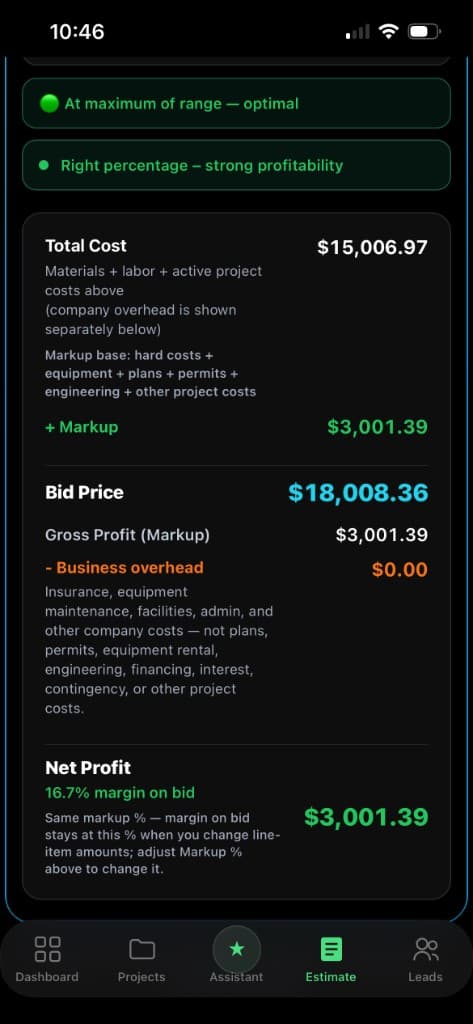
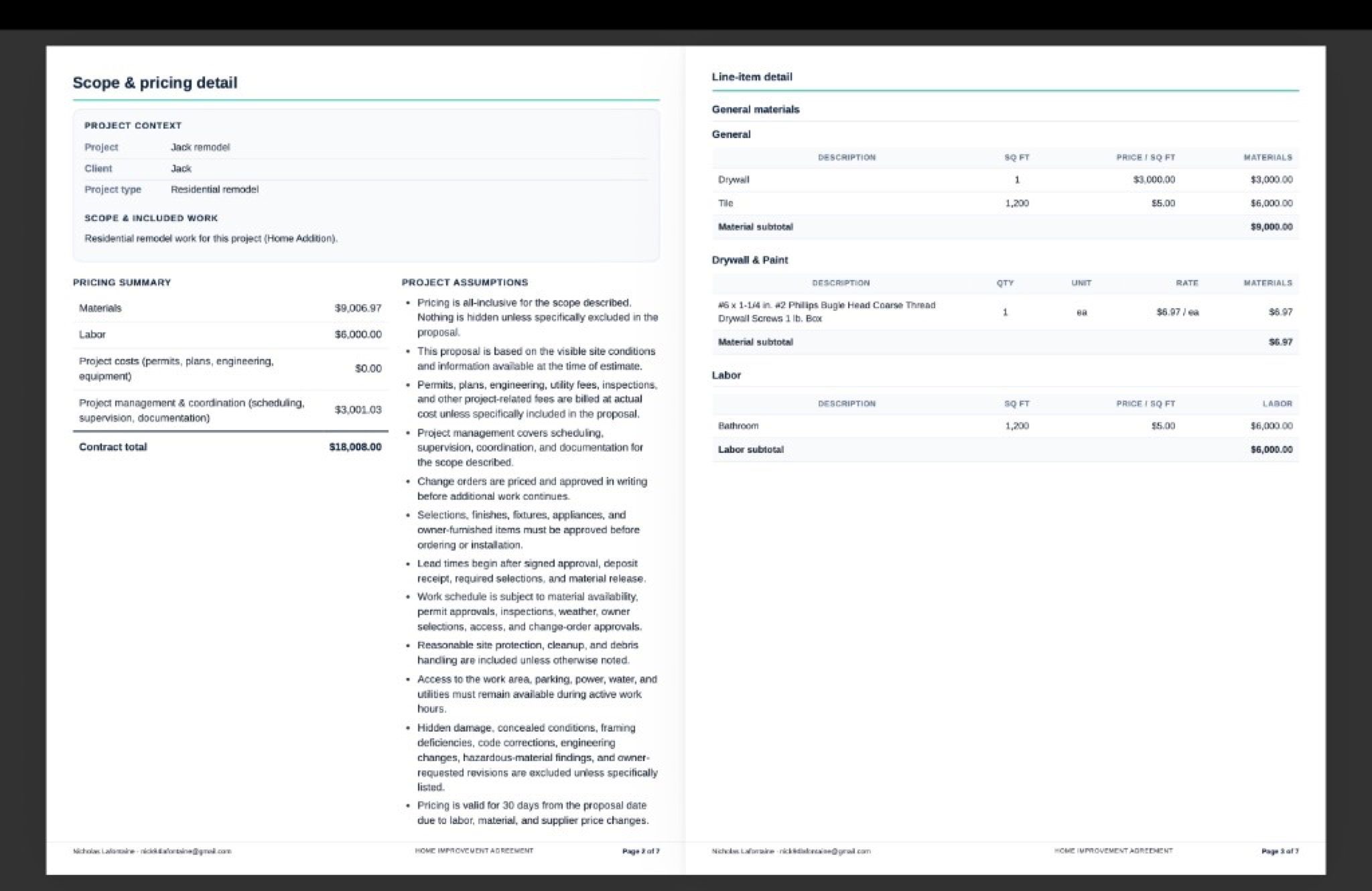
Create cleaner estimates, organize direct costs, apply markup, review profitability, and generate professional proposal PDFs.
- AI estimate assistant
- Labor, material, equipment, and overhead tracking
- Markup and profit visibility
- Branded proposal and estimate PDFs
Manage Active Jobs
Turn awarded bids into active projects and keep budgets, schedules, purchase orders, change orders, and payments organized in one place.
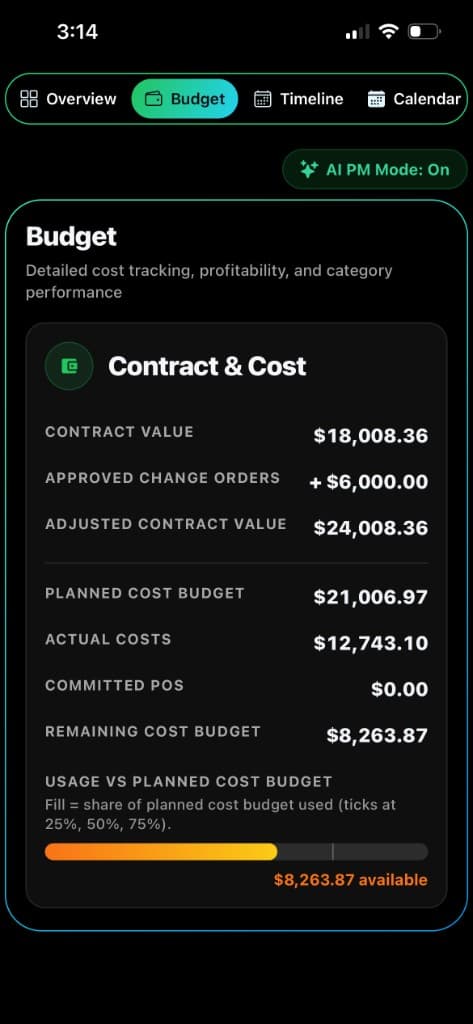
- Project budgets and actual costs
- Purchase orders and change orders
- Progress billing and payment schedules
- Project timeline and team tracking
Protect Profit
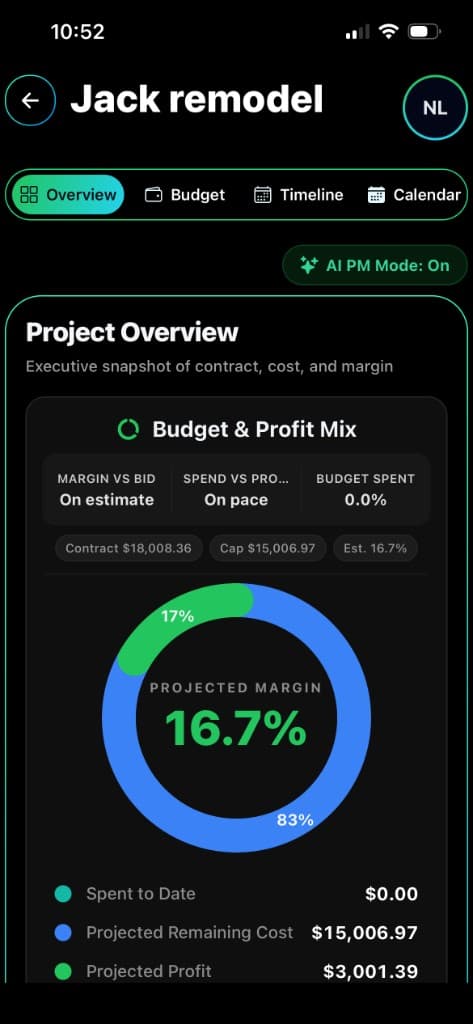
See where profit is being protected or lost before the job is over. Track current margin, projected margin, budget usage, and job health.
- Live job costing
- Budget vs. actual tracking
- Profitability forecasting
- AI project manager insights
Closeout & Tax Prep
Keep receipts, vendors, project costs, and summaries for your CPA organized so closeout and tax preparation are less painful.
- Tax center
- Receipt and vendor organization
- CPA summary exports
- Project financial history
Who It Helps
Built for the whole construction workflow.
Whether you run crews, manage remodels, develop projects, or owner-build, the app keeps cost and scope decisions connected.
General Contractors
Manage estimates, job costs, subs, and project progress from one profit-focused workspace.
Remodelers
Quote faster, track change orders, and keep client-facing proposals clean and professional.
Subcontractors
Control labor, materials, and margins without juggling spreadsheets between jobs.
Developers
Track project financials and decision points across builds, teams, and vendors.
Owner-Builders
Plan budgets, compare real costs, and understand where every dollar is going.
AI Tools
AI built around real construction decisions.
Build Profit Solutions is not just generic AI chat. The assistant is designed to help contractors understand estimates, project costs, change orders, payments, materials, and profit risk.
AI Estimate Assistant
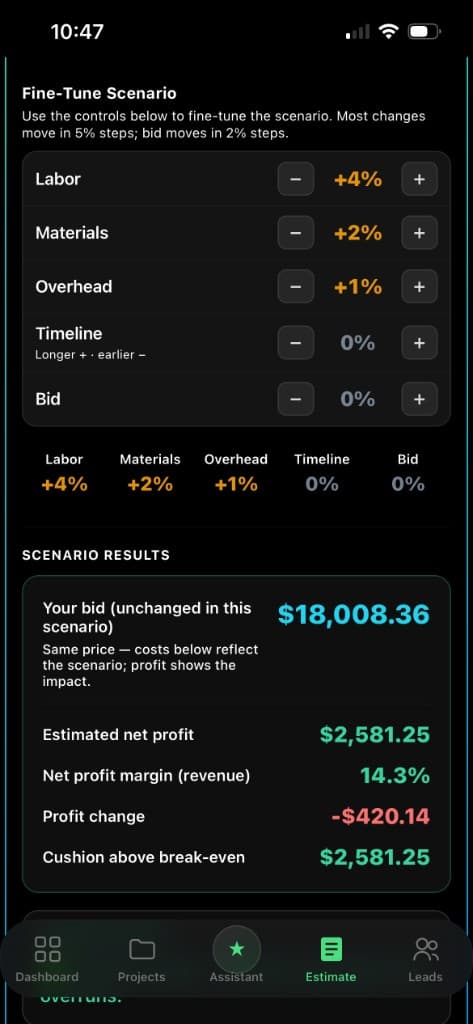
Helps organize estimate inputs, review missing costs, and explain how labor, materials, overhead, markup, and profit affect the final bid.
AI Project Manager
Watches active project data and helps surface budget risk, margin pressure, missing costs, payment issues, and project health insights.
Profit Forecasting
Helps compare actual costs, committed costs, progress, and projected final cost so contractors can make better decisions before profit disappears.
Smart Project Guidance
Gives project-specific guidance based on the current job, not generic advice.
Product Tour
See how the app works from bid to closeout.
Build Profit Solutions is designed around the way contractors actually work — estimating the job, winning the bid, tracking the project, managing changes, collecting payments, and reviewing final numbers.
Step 1
Start with the estimate
Organize costs, markup, scope, assumptions, and expected profit before submitting the bid.
Step 2
Turn awarded bids into active projects
Move from estimate to project management without losing the original budget.
Step 3
Track costs as the job moves
Monitor actual expenses, purchase orders, change orders, and payment progress.
Step 4
Protect profit before closeout
Use project numbers and AI guidance to understand risks before they become losses.
Step 5
Export records when the job is done
Generate proposal documents, project summaries, and records for your CPA to review.
Product Tour
See how the app works from bid to closeout.
Build Profit Solutions is designed around the way contractors actually work — estimating the job, winning the bid, tracking the project, managing changes, collecting payments, and reviewing final numbers.
Step 1
Start with the estimate
Organize costs, markup, scope, assumptions, and expected profit before submitting the bid.
Step 2
Turn awarded bids into active projects
Move from estimate to project management without losing the original budget.
Step 3
Track costs as the job moves
Monitor actual expenses, purchase orders, change orders, and payment progress.
Step 4
Protect profit before closeout
Use project numbers and AI guidance to understand risks before they become losses.
Step 5
Export records when the job is done
Generate proposal documents, project summaries, and records for your CPA to review.
Product Screens
Real app workflows built around contractor profit.
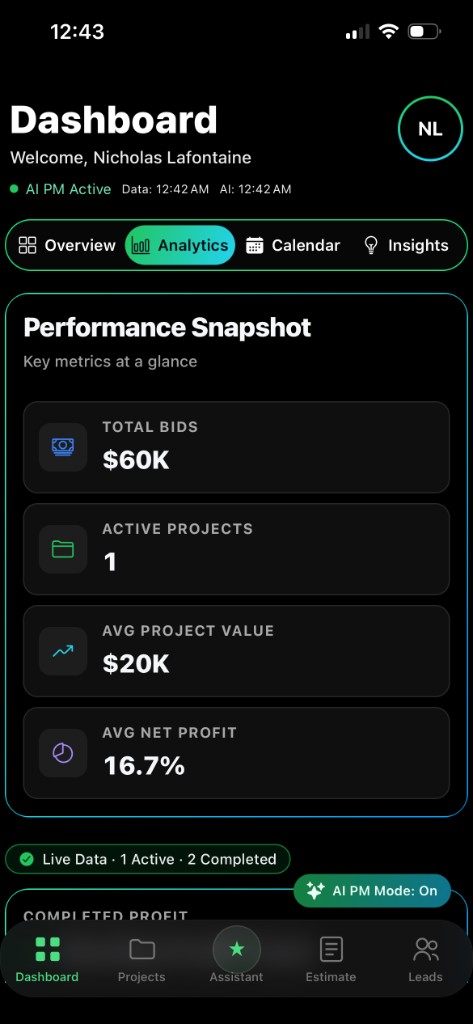
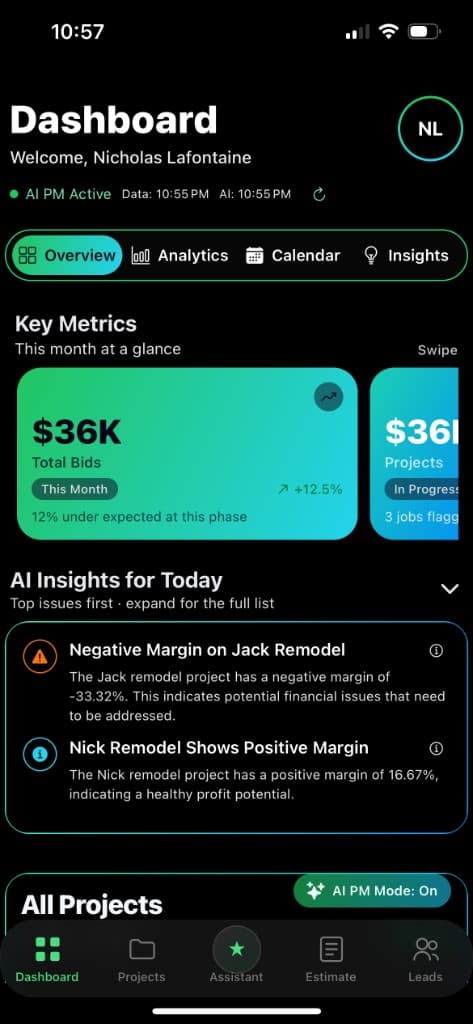
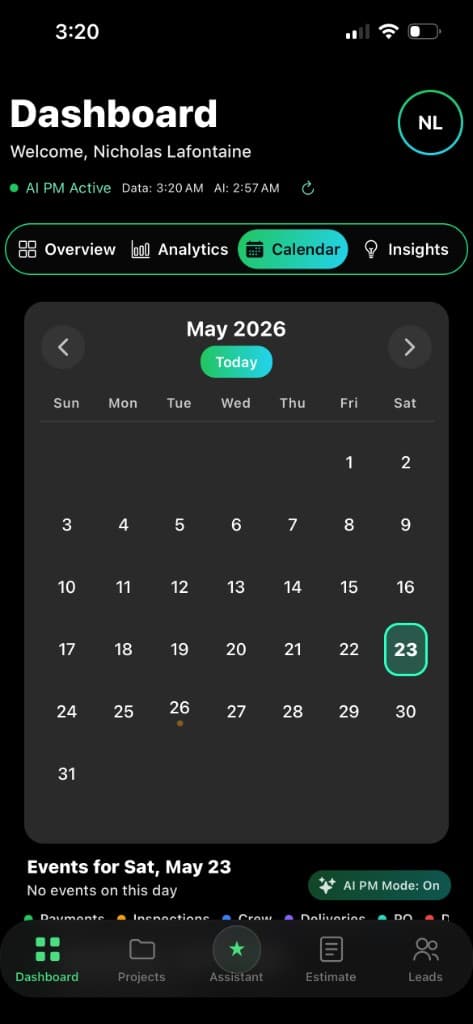
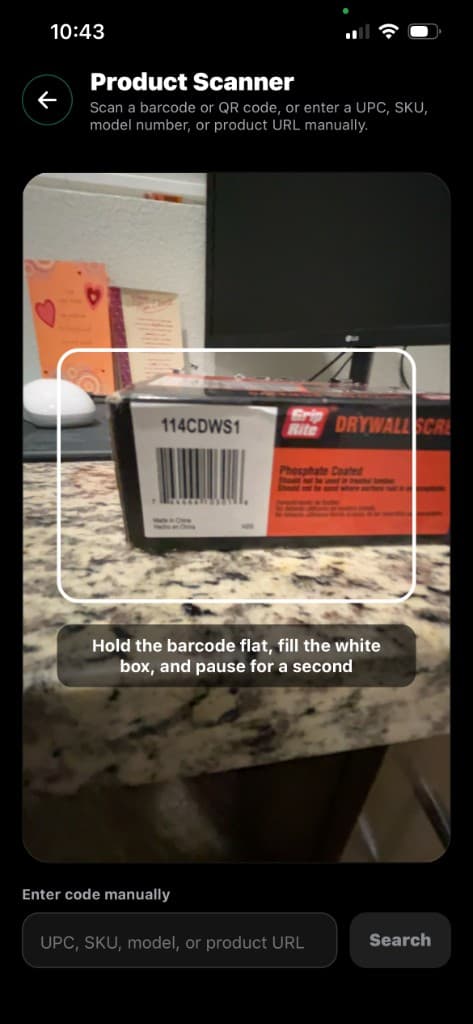
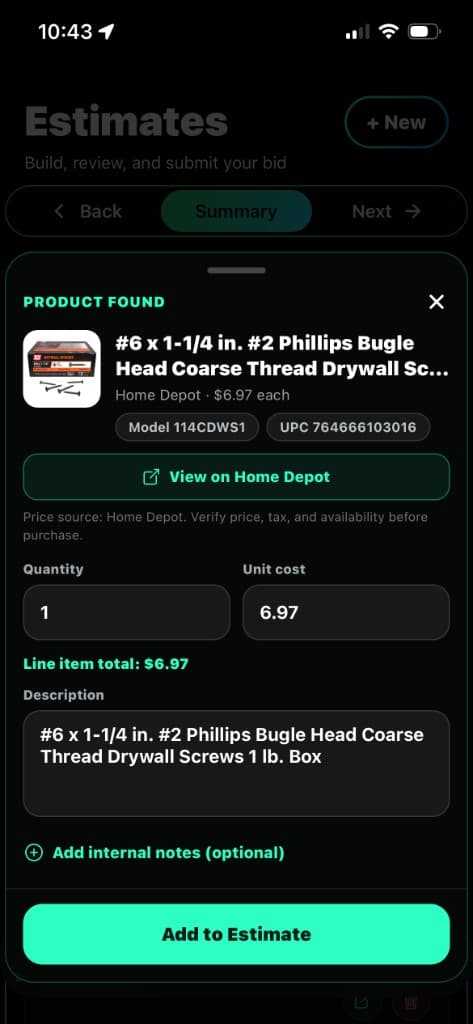
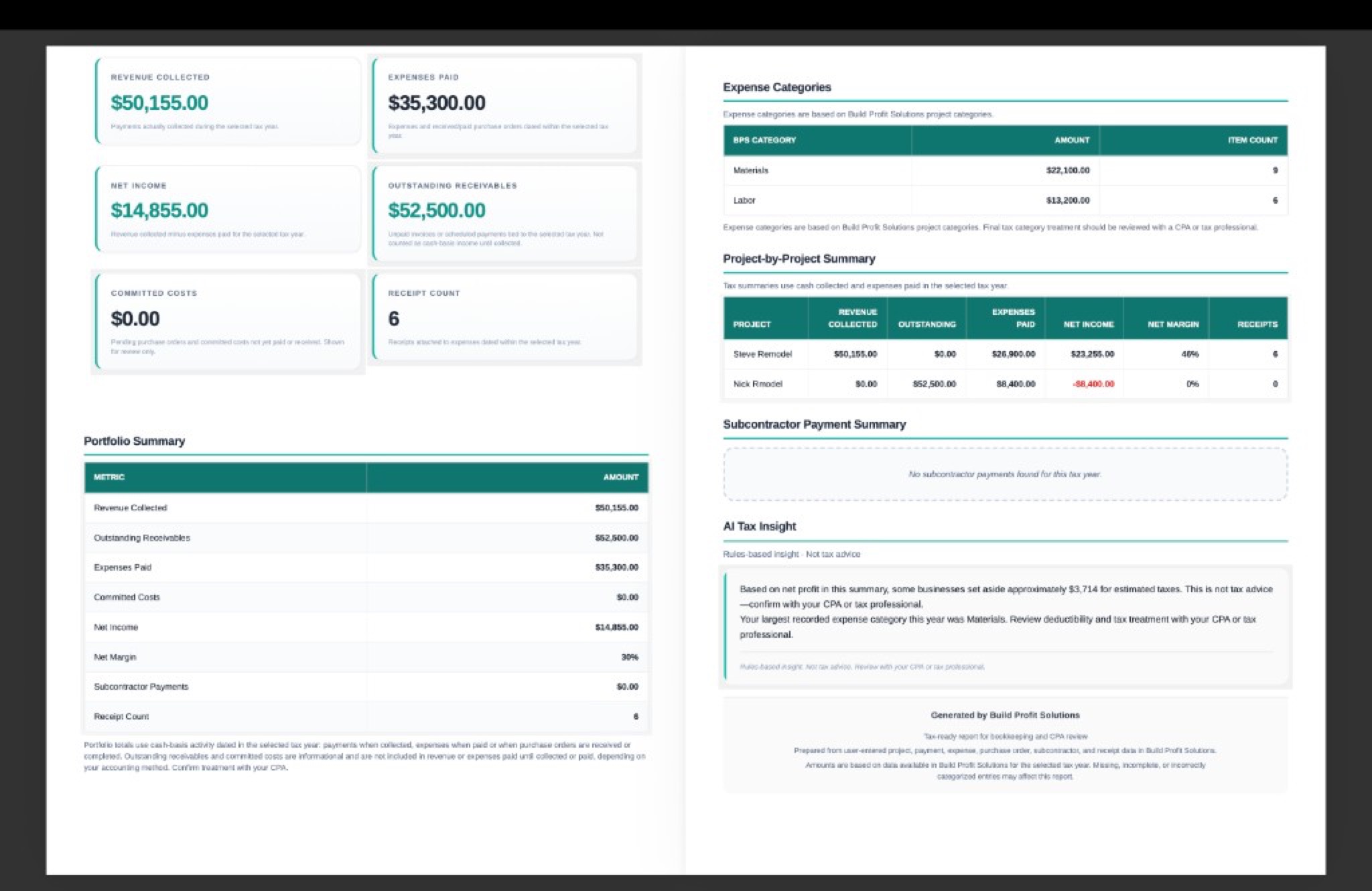
These screens show how Build Profit Solutions connects estimating, job costing, product scanning, project records, AI guidance, and client-ready documents into one profit-focused workflow.
From the first bid to the final closeout, the app is designed to help contractors see the numbers that matter before profit disappears.
Command Center
Dashboard Overview
Start from a clear command center for estimates, active projects, profit visibility, reminders, and AI-powered project guidance.
1 / 10
Want early access to these workflows?
Join the contractor beta list and follow the launch as Build Profit Solutions prepares contractor beta access for iOS, Android, and web.
More Features
More tools built for contractor workflow.
Build Profit Solutions brings together the project details contractors usually track across spreadsheets, notes, receipts, texts, and disconnected apps.
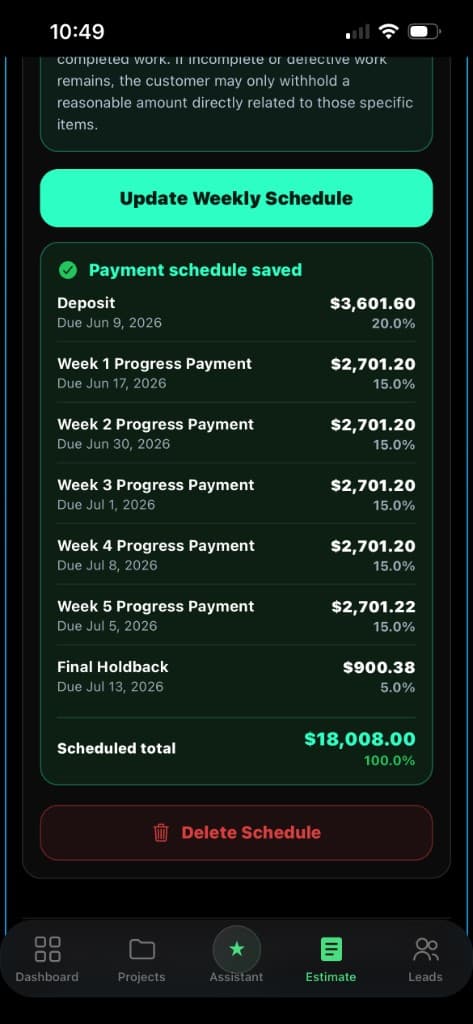
Payment Schedules
Track deposits, weekly progress billing, milestone payments, holdbacks, and final payments.
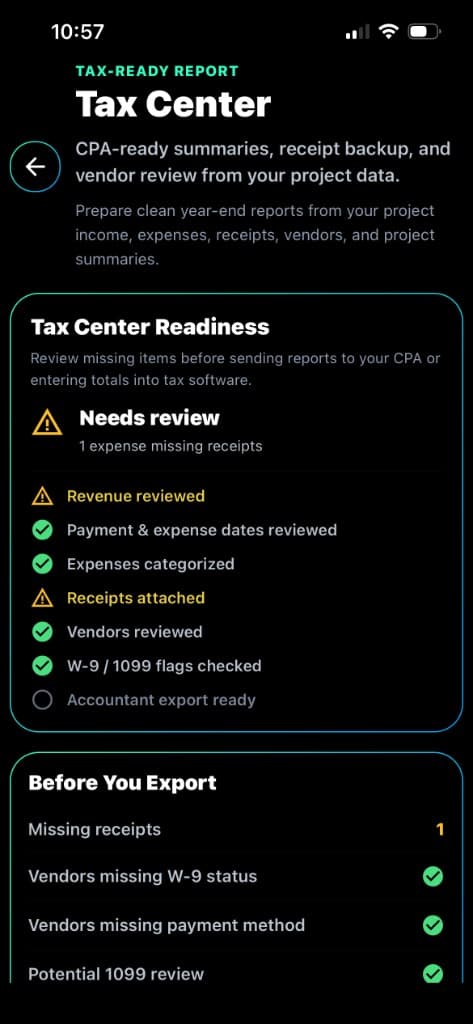
Tax Center
Organize project costs, receipts, vendors, and summaries to make tax prep and accountant review easier.
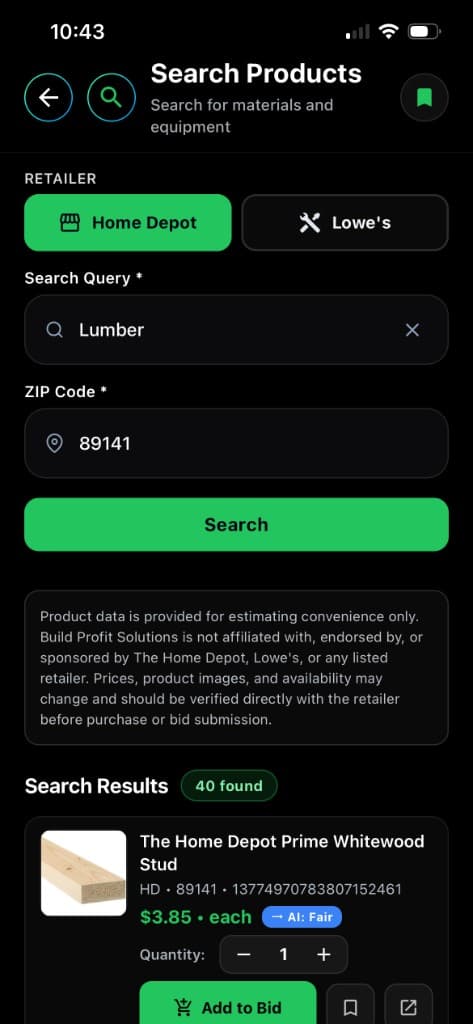
Materials & Product Search
Search products, compare pricing, scan barcodes, and keep material selections connected to estimates and jobs.
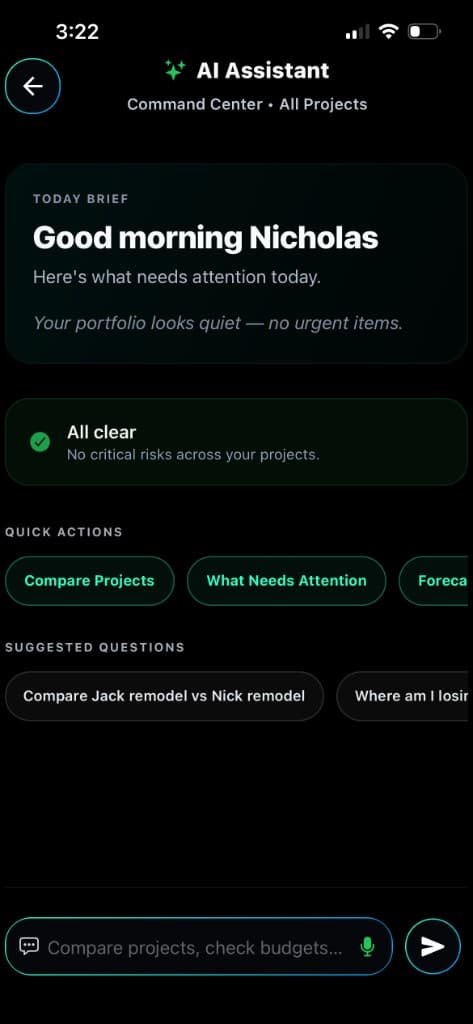
AI Project Manager
Use AI guidance to surface missing costs, budget pressure, margin risk, and project health insights.
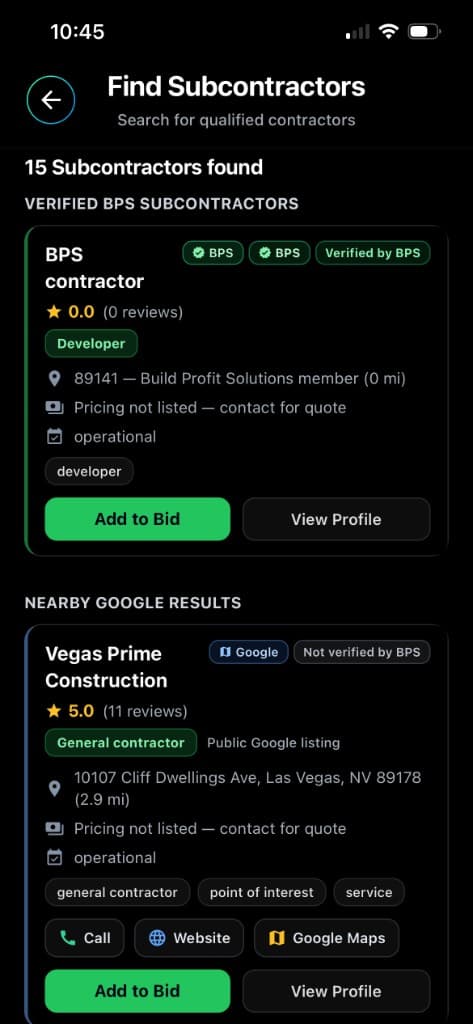
Lead & Subcontractor Tools
Support project opportunities, subcontractor discovery, and construction business growth workflows.
Build Profit Solutions helps organize project costs, receipts, vendors, and summaries for your CPA. It does not provide tax advice, file returns, or replace a licensed CPA, tax professional, attorney, or financial advisor.
Pricing
Start lean. Scale when the work grows.
Choose the plan that matches your crew, project load, and reporting needs.
Basic
StarterEssential tools for solo contractors getting organized.
Best for solo contractors getting organized.
$45/mo
Professional
Most PopularBuilt to protect margins and scale profitably.
Best for contractors who want estimating, job costing, AI tools, and profit tracking.
$89/mo
Contractor Beta
Download the app or open the web version.
Store links are ready to plug in when your iOS and Android listings are live. Until then, visitors can sign up through the web app.
Early access may be limited while the product is being tested and refined.
Trust
Built for real contractor pain points.
Construction profit is not lost in one place. It gets lost through missed costs, unclear change orders, poor payment tracking, scattered receipts, material price changes, and not knowing where the job stands until it is too late.
Missed Costs
Track materials, labor, equipment, permits, overhead, and other project costs before they disappear from the budget.
Change Orders
Keep added work connected to the active project so extra costs and revenue do not get lost.
Payment Tracking
Organize deposits, progress payments, milestone payments, weekly billing, and holdbacks.
Profit Visibility
Compare bid numbers, actual costs, committed costs, and projected job performance.
Closeout Records
Keep receipts, vendors, and project financial records easier to review when the job is done.
AI Guidance
Use AI to help flag risks, explain numbers, and guide better project decisions.
FAQ
Questions about early access.
Is Build Profit Solutions available to sign up for yet?
Build Profit Solutions is currently in pre-launch testing. Contractors can request early access or join launch updates while iOS, Android, and web access are finalized.
Is Build Profit Solutions only for general contractors?
No. The product is built for general contractors, remodelers, subcontractors, developers, and owner-builders who need clearer estimates and project financials.
Can I use it from a phone and a computer?
Yes. The app is being built for mobile-first job-site workflows, with a web version planned for desktop access when public launch opens.
Are the prices on this site final?
Pricing is shown for launch planning and may be finalized before subscriptions open. Contractors can request early access before public release.
Ready to build with better numbers?
Request early access to Build Profit Solutions and follow the launch as contractor beta testing continues.
Early access may be limited while the product is being tested and refined.